Everything's included — no add-ons, no higher tier required.
Everything below ships in the base product — nothing locked behind an upgrade.
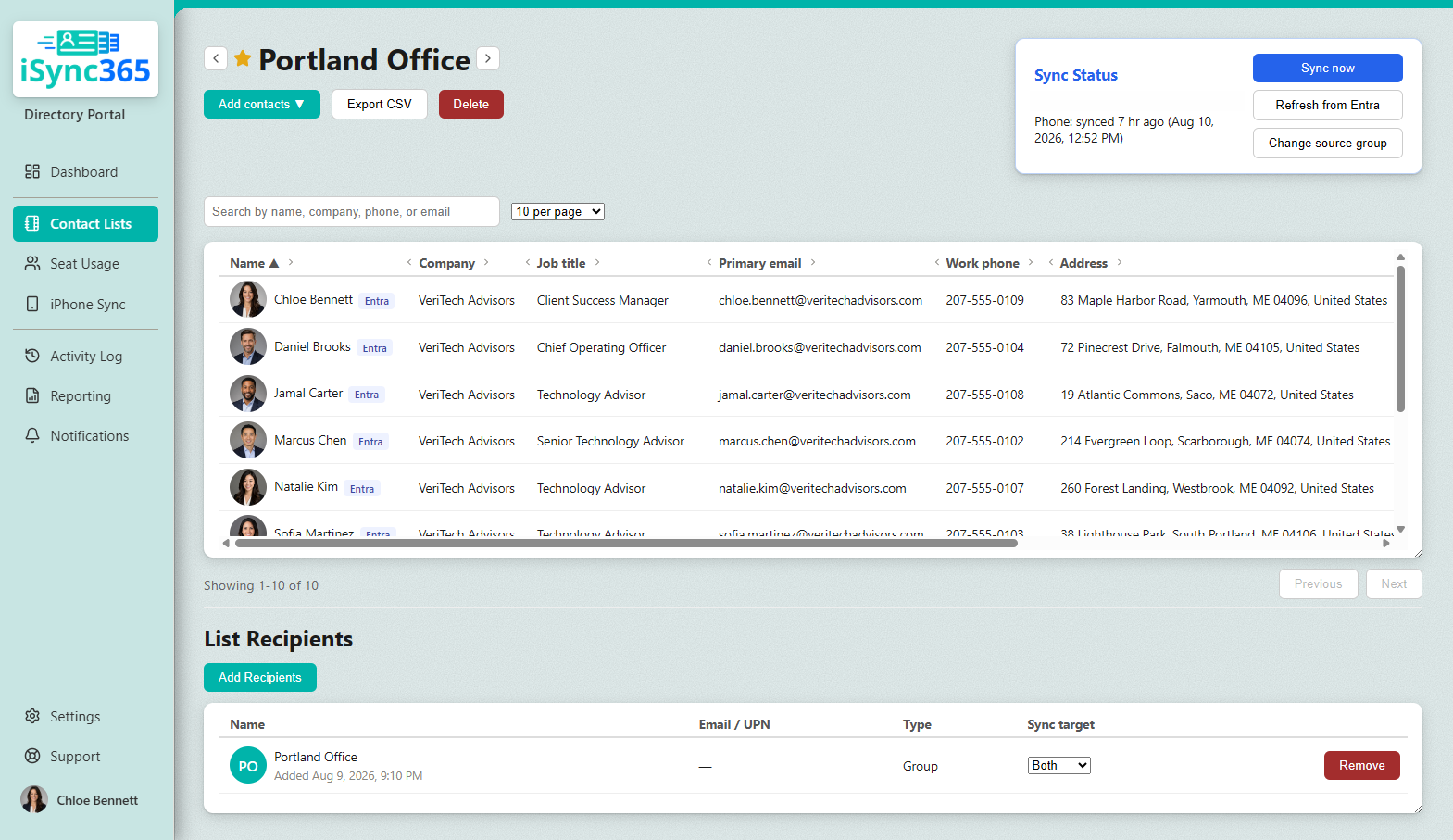
A real list, with a group assigned as its recipient — synced to both Outlook and mobile.
Admin-controlled list membership
You decide who gets which contact list — by role, department, office, project, etc. Nothing is company-wide by default. New assignments sync automatically each night on both Outlook and mobile devices. Removals work differently: the moment someone's unassigned or a list is deleted, that access is removed immediately, with no manual upkeep required.
Lists built from your directory, or built by hand
Create lists directly from your existing Microsoft 365 groups — so as membership changes, the lists update themselves. Or build lists manually for external contacts: vendors, subcontractors, clients, board members. Already tracking contacts in a spreadsheet? Import a CSV directly, no need to start over. Mix both approaches across different lists as needed.
Separate, organized lists — wherever they land
Each list shows up in Outlook and on mobile devices as its own clearly labeled category or list — never merged into one giant contacts dump, and never mixed with someone's personal contacts. Assign a list to Outlook, to mobile, or both — independently, per person.
Zero-touch on managed devices, simple setup without MDM
Managed devices get automatic, zero-touch delivery — no app, no button, nothing for the employee to do. Personal, unmanaged devices need a quick one-time manual setup instead, entered directly in the phone's own Settings app — no MDM enrollment, no third-party app required.
Contact photos included
Add a photo to any contact, and it's pushed right along with everything else — so the people your team calls most show up recognizable on the phone, not just a name.
Self-service, isolated by company
Each organization gets its own dedicated space — your directory, your lists, your users, fully separate from every other company using iSync365. Nothing is shared or visible across organizations.
Configure mobile delivery to match your security posture
Not every organization wants the same tradeoff between convenience and control. iSync365 supports multiple levels of mobile integration — from fully contained to fully native — on both iPhone and Android. As the admin, you choose what fits.
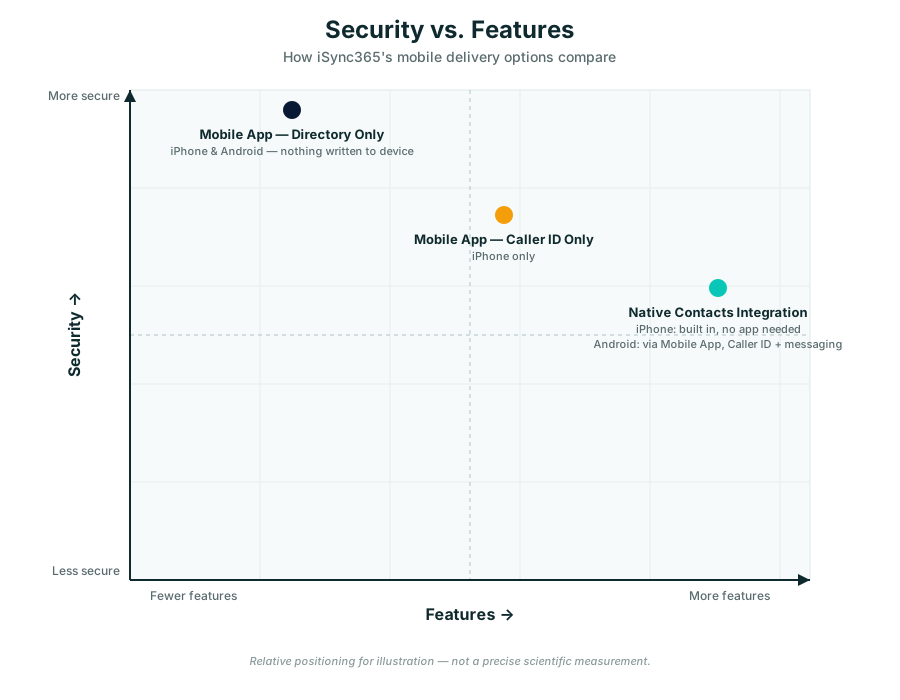
Directory Only — Most secure
The app shows your assigned contact lists for browsing and searching. Nothing is written to the device itself. Available identically on iPhone and Android.
Caller ID enabled
The app additionally resolves incoming calls with a name, without writing a full contacts entry to the device. On Android, this tier can also include native messaging integration — showing a contact's name and photo in text conversations.
Full native integration — Most convenient
Contacts appear exactly like any other native contact, everywhere the device shows contacts. On iPhone, this happens through Phone Sync (CardDAV) — no app required at all. On Android, the app itself writes directly into the native contact store to achieve the same result.
None of this is locked to end users — your Directory Portal admin configures the level of integration for the whole organization.
Already use the Global Address List (GAL) and Outlook's Save Contacts option?
Having a GAL doesn't mean those contacts show up anywhere useful — entries are searchable if you already know who you're looking for, but not browsable, not organized into separate lists, and they don't sync to your phone at all. Save Contacts only pushes what's already in your personal Outlook contacts, not the GAL — getting a whole team onto a phone this way means adding people one at a time. iSync365 pushes real, organized, scrollable lists into both Outlook and your phone automatically, for everyone. More in the FAQ →
Don't use Microsoft 365?
Phone Sync and the Work Contacts app still work — recipients are added by email, and lists are built manually or via CSV import, at a reduced $1.50/user/month. Outlook sync isn't part of this setup, since it depends on a Microsoft 365 mailbox. More in the FAQ →